Guide · Retail
Self-scanning: the till sits in the customer's phone
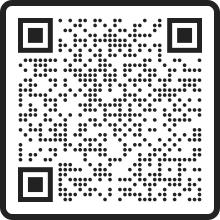
Customers scan items with the phone camera, pay on the phone and go. You buy no self-checkout stations and have no queue to engineer away. You don't have to take our word for it: scan the QR code below and try it yourself in our demo store.
Definition
What is self-scanning?
Self-scanning means the customer scans the items' barcodes and pays on their own, instead of a cashier ringing up the purchase. With JOBBS it all happens on the customer's own phone: the camera reads the barcodes, payment is made on the phone and the receipt is digital. No hand scanners or self-checkout stations are needed.
That makes self-scanning more than a checkout feature. The same flow that shortens the queue in a staffed store keeps an unmanned store open around the clock, and a hybrid store switches between the modes on a schedule.
Try it yourself
Try the demo store right on your phone
The whole flow in under a minute, with a real product. Here's how:
Scan the QR code
Point your phone camera at the code and our demo store opens on your phone.
Scan the product off the screen
Open the scanner in the demo store and point it at this barcode, and the item lands in your basket.

See the rest of the flow
Basket, payment and receipt look exactly as they do for your customers. A checkout doesn't get simpler than this.
Demo store with test products. Click around freely.
How it works
The customer journey in four steps
Comparison
The phone vs the self-checkout station
Fixed stations move the queue. The phone removes it.
| Feature | Customer's phone | Fixed stations |
|---|---|---|
| Investment | No station to buy | Stations, screens and servicing |
| Floor space | Zero, the till is the customer's phone | Dedicated area by the exit |
| Queue at the exit | None, customers pay in the aisles | The station queue remains |
| Unmanned hours | Yes, same flow around the clock | Often still needs staffing |
Cost
What does self-scanning cost?
Self-scanning is part of JOBBS Retail. Contact us for a quote. No stations, screens or card terminals are added, since the till sits in the customer's own phone. If the store should also run unmanned hours, the JOBBS Lockswitch controller is added at SEK 3,995 once. The full calculation is in our guide to what an unmanned store costs.
FAQ
Common questions about self-scanning
What is self-scanning?
Self-scanning means the customer scans the items' barcodes and pays on their own, instead of a cashier ringing up the purchase. With JOBBS it all happens on the customer's own phone, with no hand scanners or self-checkout stations. The camera reads the barcodes, payment is made on the phone and the receipt is digital.
Does the customer need to download an app?
The shopping happens in the JOBBS app, where the customer scans and pays and the receipt lands straight on the phone. Getting into an unmanned store, however, requires no app. BankID at the door is enough.
Do weight and price items work?
Yes. Barcodes with an embedded price or weight, as on fresh goods and newspapers, are read and totalled correctly at checkout.
Do we have to buy self-checkout stations?
No, that's the whole point. The till sits in the customer's own phone, so there are no stations to buy, give floor space to or maintain. Staff sell instead of ringing up goods.
What does self-scanning cost?
Self-scanning is part of JOBBS Retail. Contact us for a quote. No stations or card terminals are added, since the customer pays on their own phone.
Are receipts and accounting handled correctly?
Yes. Every purchase issues a compliant receipt and the sale is booked automatically with SIE4 records where the fees are already settled, ready for Fortnox or Visma.
Can we combine self-scanning with unmanned hours?
Yes, that's a common setup: self-scanning during staffed hours, and the same flow plus BankID at the door when the store switches to unmanned mode. The store switches on a schedule, which is what we call a hybrid store.
Shorten the queue or remove it entirely
Book a demo and we'll show self-scanning in your store, from the first scan to finished accounting, staffed or unmanned.
Book a demo